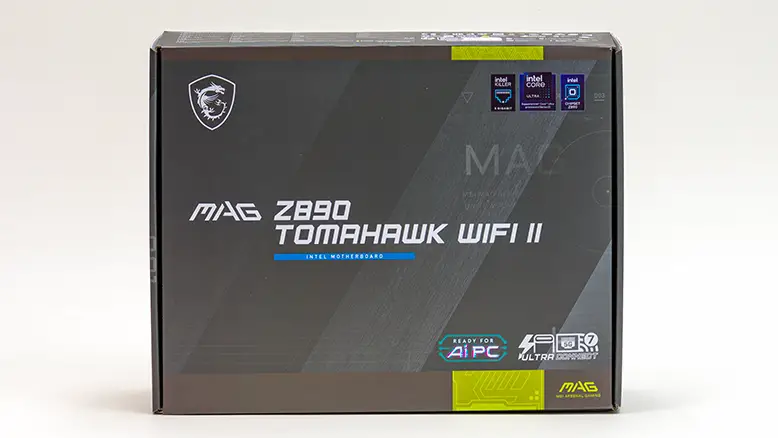
Packaging & Accessories: 9 out of 10
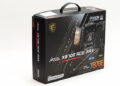
MSI has always prided itself on being practical when it comes to the accessories they include. So if you are looking for goo-gaws, overly glamorous but ultimately useless features… no MSI will satisfy your needs. Instead, you will be better served with a Republic of Gamers motherboard that heavily caters to such flights of whimsy. So while it will be downright Spartan in comparison to some of the competition, MSI does get all the basics right, and includes a couple of time-saving features – like the plastic M.2 EZ Clip II installation tool. So while we would love to see EZ WiFi adapters included overall, this is a great example of how to do “value-oriented” right.
Layout & Aesthetics: 22 out of 25
On the one hand, MSI’s TomaHawk design team got the layout almost perfect. So perfect we only have the PCIe additional 8-pin power headers’ location to complain about… as they even got the dual EPS header location right. On the other hand, green. Neon green. Neon green with metal fascia coverings on the M.2 heatsinks that just don’t look right. Some are N/S, the others are E/W. So while the color issue is an extremely easy fix, there is a lot of room for improvement on the aesthetics side of things. Especially when compared against its main rivals, the TuF and Strix-A.
Build Quality & Warranty: 23 out of 30
There really are only three nits worthy of picking when it comes to build quality. The first is more optics than reality-based, the middle is not overly worrisome, and the last… is well… par for the course with motherboards. The first refers to the fact that this is a 6-layer PCB and not an 8-layer PCB like the competition. In practical terms, this has almost no impact on the intended buyer… as they will not be using overly heavy CPU coolers… and heavy GPUs now come with support brackets to take the load off the motherboard. Nor will they be pushing the boundaries of overclocking. The same reasoning holds true for the middle issue. Yes. MSI should include an EMI shield covering for the integrated audio solution … as that is what MSI’s rivals bestow upon their ALC1200P-based solution(s). So, no. It doesn’t really matter all that much. It just is annoying. Lastly, the M.2 heatsinks and their mounting solutions. We would absolutely like to see backplates and a beefier M.2_1 / PCIe 5.0 x4 heatsink trickle down to the TomaHawk series… as that is what the TuF and STRIX-A offer. However, considering the fact we have yet to see any sub 1K (USD) motherboard come with “proper” M.2 cooling this missing feature is not that big a deal. It may be for you. So adjust your score accordingly.
Value: 34 out of 35
This is where MSI knocks it out of the park. Yes, they had to round a few corners that we would like them not to round. Yes, they need to use a different color of paint for the TomaHawk accents. In the grand scheme of things, neither matters. What does matter is that this is a sub $350 CanuckBuck motherboard that punches well above its weight class. So much so, you need to basically spend an extra hundred dollars to get a motherboard that is somewhat ‘better’. Even then, it is not cut and dry “better”. Instead, it’s a case of sometimes the Strix-A will be better… and sometimes it won’t be. Now that is a great example of how much value this lil’ Tommy offers. Color us highly impressed.
Final Score: 88 out of 100
The MSI MAG TomaHawk Z890 WiFi II is almost a masterclass in how to create an excellent value-oriented motherboard. Everything from the power delivery subsystem to the PCIe layout to even the USB and Thunderbolt options is tailor-made for the intended customer. So while those more interested in the Carbon’s of the marketplace will not be overly impressed with what it does and does not offer… buyers on a budget will be. Put simply, this is a value-oriented motherboard that gives up very little in the usability department in order to come in at a good hundred dollars cheaper than the competition. That is an amazing deal no matter how you slice it. Neon Green accents or not.