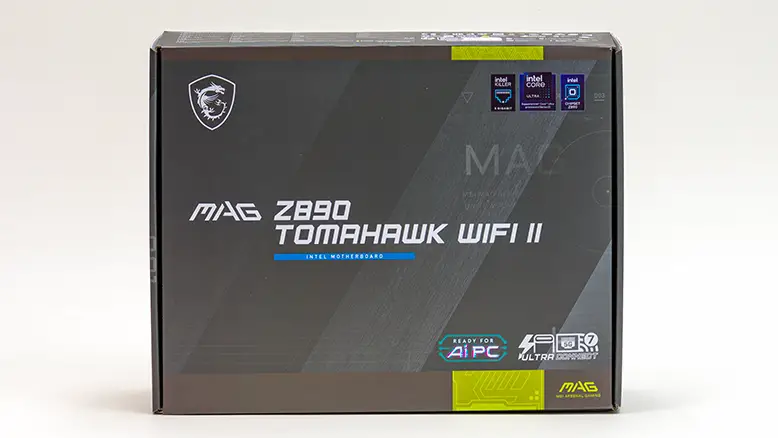
For a bit better than half (coming up on three-quarters) of a decade, the old adage that “you get what you pay for” has seen better days. Usually to the detriment of value hunters… and the general public. These days, it seems that every year you need to pay even more just to get less. There are, however, some exceptions to the sorry state of this “new normal”. Specifically in the entry level / ‘budget constrained’ / “value orientated” end of the spectrum. This is because nearly a decade ago, MSI asked a simple question: What would happen if we offered an entry-level model that covered 100% of this corner of the market’s needs, most of their wants, and did both while costing less than what most other manufacturers’ entry-level boards cost? That was a lofty goal for one series of motherboards to do. Too much, in fact, and MSI quickly broke it down into two boards. True entry-level, yet quality, series called the ‘Pro’ (tailor-made for professional system builders) and the MAG TomaHawk. Today, we will be looking at the more mainstream, more polished, more advanced of the two. Specifically, ~349 Canadian-priced, Intel Z890 MSI MAG TomaHawk WiFi II to see what it has to offer budget-sensitive buyers.

On paper, there is a lot to like. For example, this downright inexpensive, by 2026 standards, motherboard is rocking a 5GbE NIC for its Ethernet port… and WiFi 7 (plus BT 5.4) for those who are cord cutters. A combination rarely seen in the sub $350 price range. For PCIe slots, you do not get the standard fare of two usable slots, but rather have three – a PCIe 5.0 x16 plus a pair of PCIe 4.0 x4 slots. All in the x16 form-factor for wider compatibility… and the dedicated ‘video card’ x16 gets the Steel Armor treatment and EZ PCIe Release. Once again, a set of features rarely seen in the sub $350 CAD price class. Also rarely seen is a whopping 9200+ MT/s DDR5 overclocking support. On a sub $350 motherboard. That is some highly advanced features to see trickle down to the entry-level market.
Equally important is that there isn’t much to dislike with this TomaHawk. Sure, the power delivery subsystem (or “VRM” for short) may not be nearly as robust as the Carbon, the STRIX, or Taichi options of the market… but not that long ago, a 20-way (16+1+1+1) VRM that was rocking 90A power stages would be considered not mainstream, not premium, but considered darn near (pardon the pun) God-like in its abilities. Put another way, it’s overkill for entry-level systems where the end user is not going to be rocking 7-class, let alone 9-class, Intel CPUs. They will be using practical Core Ultra 5 or even Core Ultra 3s.
The same is true for the on-board audio solution and M.2 options. Yes, there are only four M.2 ports on this board. Yes, only one is PCIe 5.0 x4 and is the only one that is directly connected to the CPU. However, the three chipset-connected ports offer support for M.2 22110 all the way down to M.2 2230 PCIe 4.0 x4-sized drives. More importantly, there is no dreaded bifurcation juggling act of the USB vs. M.2 vs. PCIe slots to worry about. In that vein, while not as robust as some, the Realtek ALC1220P is a tried and true solution that not that long ago would have been reserved for upper-mainstream boards… and it is not like its abilities suddenly got worse just because ‘better’ came along. It is just older overkill rather than new and shiny overkill for entry-level builds.
So on paper, the Z890 Tommy II has a lot going for it. However, before we dive in, we need to be clear. MSI’s one-two combo of Pro and TomaHawk does not stand alone. Other companies saw what MSI did and were forced to react and offer their own take on value + premium value models. For example, to cover just the Pro and TomaHawk boards, ASUS has six options – two Prime (-P with and without WiFi), two TuF (Pro and Plus), and two STRIX (-H and -P). All of which offer their own pros and cons, including prices which range from about 350 to 650 CAD. Of these six boards, the ($450) ROG STRIX Z890-F GAMING WIF and the ($350) TuF GAMING Z890-PRO WIFI are arguably the TomaHawk’s main competition… with the rest more focused towards either the Pro, the Edge TI, or the Carbon models. As such, these two will be used as points of reference to see just how far the TomaHawk line has come in recent years… and to see if it is indeed worth serious consideration for your next build. So with the stage, and your expectations properly set…let us dive in and see how the value-oriented MAG Z890 TomaHawk WiFi II holds up against the competition.