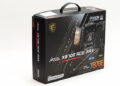

Before we begin we do feel it necessary to point out our biases. For shipping containers we lean into the conservative end of the spectrum and would never queue in the checkout isle with a flaming fuchsia box underneath are arms unless it was a gift for our significant other. Barring that, and possibly if we were doing a full on Las Vegas Liberace build… purple’ish pink makes our eye twitch. We do however have to respect a company that doubles down on pink and not only continues to use it but can actually make a reasonable argument for why they have made this… bold color pallet choice.
To whit, MSI’s shipping container design team wanted it to make it clear that they are like Switzerland when it comes to Team Red vs. Team Blue and want to make customers of both teams fill welcome… while at the same time bowing to the realities of market demands. Thus a color scheme that combines both Red and Blue… while leaning more heavily into Red rather than Blue territory as a nod to current market realities.
We get that. We even think it is rather clever subliminal messaging. We just feel it may be a touch too clever for its own good. Few novices will look at fuchsia and go “oh its both red and blue!!”. No. Most will go “its… pink? Why is the box pink?” and most of the rest will go “oh its my favorite color… fabulous fuchsia”. None will ‘get it’. Furthermore, experienced buyers already have looked at the specs and see it is both AMD and latest Intel compatible and then strongly consider its merits… and if they are great enough to overcome having to store a pink box for half a decade.

Put another way, the box is indeed eye catching. It is even well endowed in the specifications and details it offers. It just may be a touch too eye catching. Which in turn may turn off a noticeable chunk of potential buyers. Which is a shame as this is a good box that can take a veritable beating and keep its precious cargo safe. A such, MSI may want to think really, really… really hard about toning down the in-joke so as to appeal to a wider audience. Afterall, (nearly) no one will refuse to buy an AIO because the box is too boring… but some will hard pass on a pink clad one.
Moving on.

We come to our first good improvement over the P13. With the P13 MSI Included accessories that nicely covered all the basis. They even upped their game in both the aesthetics department (via neater cabling and an included EZ-header fan+rgb adapter) as well as a hardcore metalbackplate that worked on both AMD and Intel’s latest sockets.
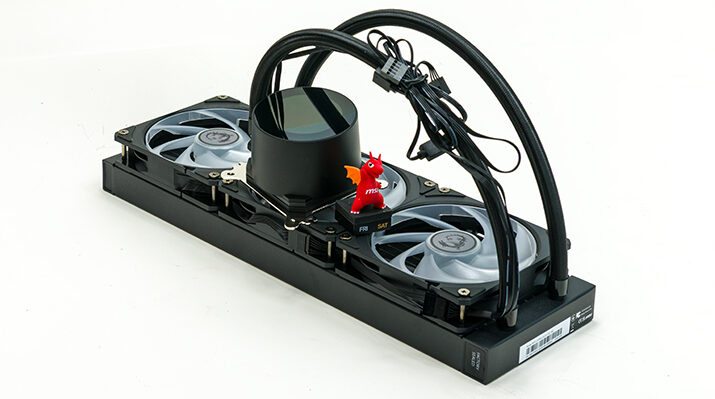
With the P22 nearly all those goodies are still included but the EZ-header fan+rgb adapter is no longer needed. No longer needed as the three pre-mounted ARGB fans now have custom headers that combine both 4-pin and ARGB into one small, tidy package. Resulting in a supremely neat final build. One that is far above the pack and sets a new standard in how neat and tidy a bigboi 360 can be. So much so the only minor tweak will be doing is unplugging these special headers installing a bit of black heatshrink tubing and make our final builds perfect. That however is nit-picking as the all black cables with all black header is darn near perfect. Just not perfect, perfect.

The only other noteworthy accessory “included” is the fact that MSI has opted to follow Arctic and are no longer including an installation pamphlet. Instead there is a QR code that links to online instructions (in a pdf file at this point in time) which go over in detail how to install the new P22 series. This tweak is arguably a nice upgrade as there is a quirk or two to the installation process… that really needs zoomable pictures and large, small word, text to hammer home how to do it the right way. The MSI way. A way which is not necessarily intuitive for novices.