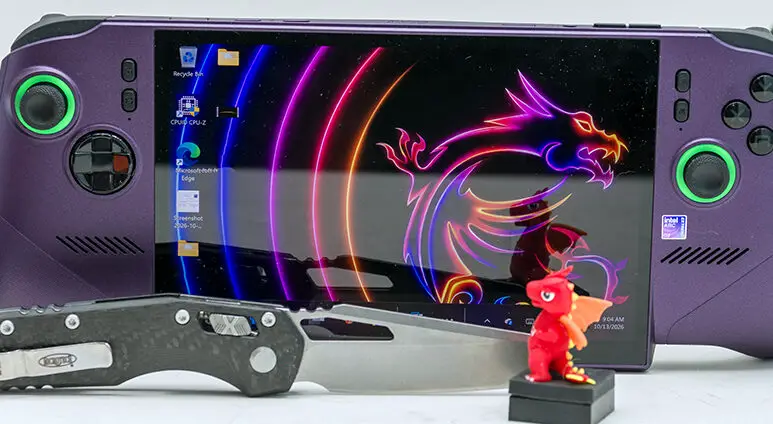

Moving on to the top edge of the next generation CLAW, we see a fairly decent assortment of inputs and ports. Namely the typical volume up/down buttons. An actual 1/8th TRRS (aka “combo” 3.5mm stereo + microphone jack) port for wired audio goodness. A seemingly bog-standard microSD port. A pair of Thunderbolt 4 ports… and a physical power button. At first glance, the only thing(s) of note amount to one major positive and one minor nitpick. The positive is obviously dual TB 4 / 40GBps goodness. Two Type-C ports may not sound like much, but it means you have a ton of flexibility in the accessories you can run off this Dad Bod-looking device. For example, with two physical ports you can run a keyboard and a mouse without resorting to a USB (Type-C) hub… and the nearly endless possibilities go up from there.

The nitpick is equally obvious: the lack of tactile feedback baked into the volume buttons. With no real easy way to feel which is the up and which is the volume down button, one is forced to either try and remember their order… or physically twist the CLAW in your hands and look at them. This is an unforced error on MSI’s behalf. Even something as simple as a raised and a sunken divot would allow you to feel which is which and would have cost pretty much nothing more than the two buttons already cost. Since it is lacking even such a basic common courtesy, both workarounds are suboptimal, to say the least. Especially during gaming sessions where anything that breaks your immersion and enjoyment should be avoided at all costs by the design team. Before we move on, we do feel the need to point out that those top-mounted buttons are also in the same basic black plastic as the front ones. Once again, this is a bit of a missed opportunity to give this Claw a bit more three-dimensionality to its personality… even if they at least gave the Power button / Fingerprint reader a splash of color via an offset LED.

On the positive side, most will probably not be making use of the dual 2W speakers; rather, most will be rocking Bluetooth headsets/IEM/etc. Devices which come with their own dedicated volume buttons. Rendering this a minor annoyance rather than a dealbreaker.
This assumption is not a slam against the top-mounted speakers (nor the attached ALC4080 audio codec that powers them) per se… but these stereo-only speakers are adequate at best. For full immersion, a set of BT-based ‘buds or better is the only way to go as you really need for than left/right audio cues to get into and stay in ‘the zone’ especially if you are in public. . This recommendation on headphones goes double if you do not want to anger your fellow transit/metro travelers over choice of game(s) / entertainment / etc. So please buy a set of ‘buds and don’t get labeled as ‘that guy’.

Moving on. In an earlier paragraph we said “on first glance” there appears to be only one positive and one negative. That is incorrect as appearances can indeed be deceiving. With the new Claw there are two major selling features. Not one. The other feature is that seemingly bog-standard microSD port is not a bog-standard anything. It has a hidden superpower. SD is famous for offering compact storage that is so small it is easily lost… but primarily it is notorious for its lack of speed. Typically 100MB/s, with peaks of ‘up to’ a bit north of 300MB/s sometimes glimpsed. If you buy the top-of-the-line options. For most, the typical (“cheaper” but by no means low cost) options are even slower than that.

This is not your typical microSD slot. Instead, it is an innovative microSD Express slot. As such it is not only rocking 1 full PCIe 3.0 worth of bandwidth but also a variant of the NVMe features the internal CLAW ‘C’ drive (and your PC’s C drive) is using. This means eons better storage management, including relatively advanced house cleaning. It means the ‘up to’ nearly 1 Gig speeds is a realistic possibility. If you can afford a mSD Express card that is… and oof, let’s all hope the asking prices come down sometime in our lifetime, as even the small ones make big mSD cards look like a bargain.
Thankfully for us mere mortals, this port is fully backwards compatible with earlier mSD standards. Meaning your existing box of microSD cards will work perfectly fine in this cutting-edge card reader. Just at normal microSD speeds. Honestly, we wish MSI had done an outline or alternated colored port for this microSD Express card reader, as there is such a thing as being too humble for one’s own good… or so we have been told.