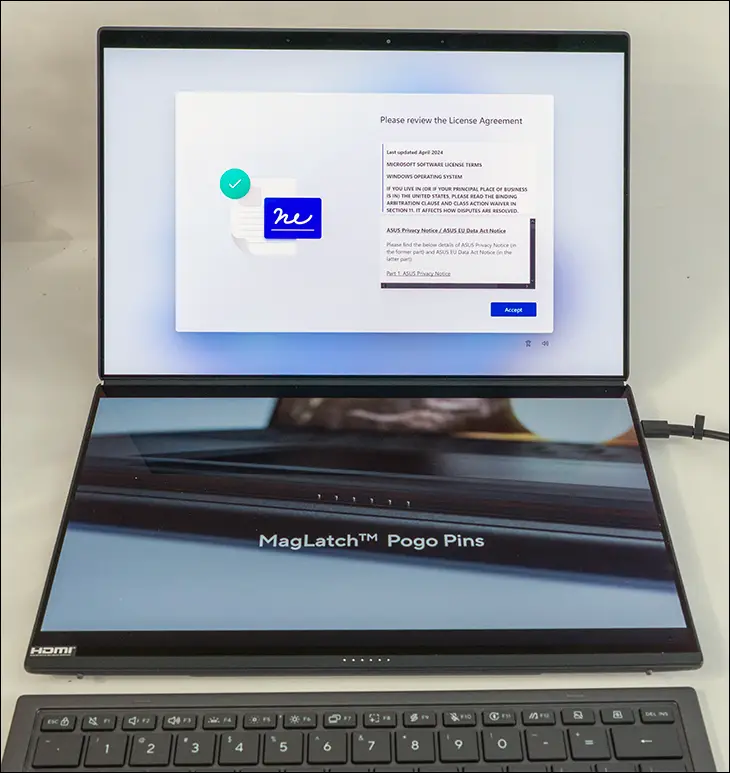

Just upon opening up the box and taking a look inside, you can tell that the design team wanted to further delve into the UX8406’s innovative dual-screen abilities. Delve into them and further refine them with a keen eye towards enhancing key usability aspects like hinge alignment and gap; seamless transitions from one configuration to another; and overall performance of the entire ultraportable laptop experience. All while respecting the core design elements and concepts that make a ZenBook Duo… a ZenBook Duo, and not some generic WinTel or even “designed in Cupertino” flavor of the day. Put simply, the design team was tasked with the unenviable responsibility of improving upon the… quirky nature of the ZenBook Duo but doing so in such a way that would not negatively impact any of the special features that made the previous generation a standout for professionals, content creators, multitaskers, and even pro-sumers.
On paper, that sounds “easy”. Copy and paste the last gen blueprint, slap a couple of new parts into it, sprinkle ‘AI’ copiously into the reports to keep management happy… and call it a day as you have improved the blueprint but not risked irking any loyal customers. However, while Asus has (as all laptop manufacturers have) been accused of doing precisely that from time to time, we are unaware of the last time the ZenBook team has taken the easy way out. Instead, they took the harder path and preserved the ethos and concepts of the ZenBook Duo series while upgrading it in tangible and meaningful ways.
For example, ZenBook’s are considered ultraportable laptops. Which means weight is the enemy. The lighter the better… and yet buyers these days want a laptop that can last all day, all night, and be bright-eyed and bushytailed after only a couple hours of downtime… which the last-gen ZenBook Duo kinda sorta was able to do.

Kinda-sorta, as in if you squint hard, it does meet those requirements… and overly relied upon the included 100w AC to DC adapter’s lightweight and easy-to-use (Type-C connector) abilities.

The problem was those two “3K” (actually 2.88K as marketing be darned they are 2880 x 1800 not 3000 x 1875) screens and their 500nits of power-sucking backlight brightness… did what all screens do best: eat battery life. Asus tried their best to keep weight down via the copious use of a “magnesium-aluminum alloy” (probably something like AZ91D via a thixo-molding process for the majority of the frame… and not 5052/6061 aluminum. ie Mg-Al not Al-Mg based) along with actual aluminum in the parts of the chassis you can touch (e.g., outer lids, etc.)… but there was only so much room in the weight budget for a battery. Resulting in the use of a 75Wh Li-on pack, which in turn limited runtime to about 4 to 6 hours when using both screens.

The new generation is rocking a battery bank that gives an impressive total of 99 watt-hours. Still not (easily) end-user swappable, but it is 32% bigger total capacity. Which translates to a full business day’s worth of power… possibly even a bit left in the tank for entertainment purposes, depending on how hard you push it (and how often the e-cores can take the load off the p-cores). Which by itself is a major improvement… yet is even more impressive when you realize that while it is indeed true that both are using dual 14-inch “3K” OLED touch screens (in 16:10, not 16:9 form-factor!), the new model is capable of 1000nits and is VESA DisplayHDR True Black 1000 certified. Meaning it’s a legit 1K nits capable backlight being used. Better still, these screens are rocking PANTONE validation, which means they offer true 100% DCI-P3 color gamut coverage. Best of all, they are factory color calibrated for accurate out of the box colors. Mix in a 144Hz (vs 120Hz) refresh rate and they slurp down power like a hungry teen at a Las Vegas buffet… but are worth it as these two screens are gorgeous and capable of accuracy the previous gen could never meet. Meaning they can improve your workflow as much as they can your game flow.