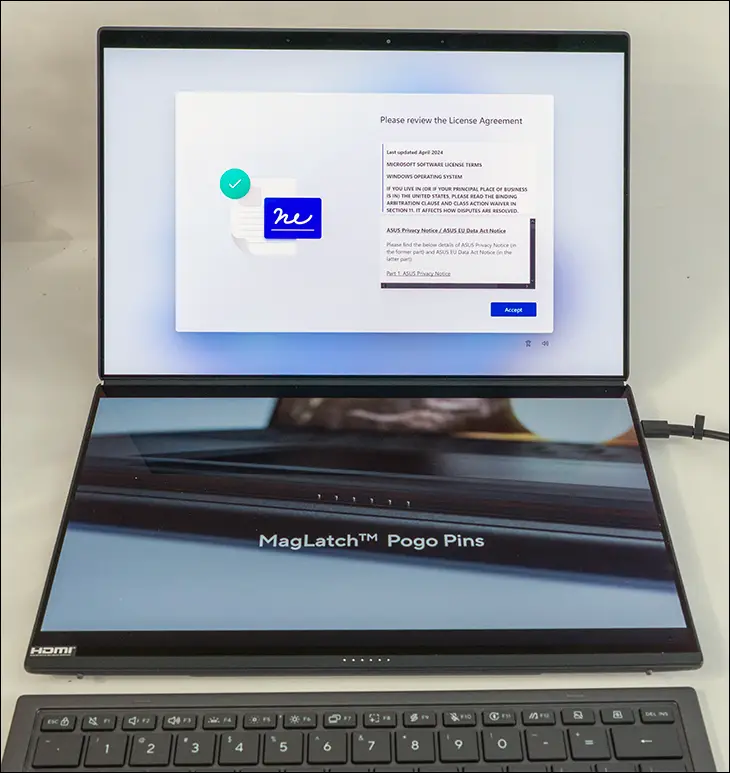

On the one hand, we do like the fact that the ZenBook Duo comes with two Thunderbolt 4 (40Gbps and USB 4/3 backwards compatible) Type-C ports as well as a USB Type-A port. We just wish that they were ThunderBolt 5 and not just ThunderBolt 4 ports… and the Type-A was 20Gbps (or greater). Not USB 10G. Bluntly stated, both the USB and Thunderbolt 4 options are a direct carryover from the 2024 edition. This all is all because Intel allows manufacturers to handicap their laptops by making the Core Ultra 3-series Thunderbolt 5 abilities “optional”. Not mandatory.

On a 2026 laptop that can come with TB5… should come with it. This is a corner that has been ’rounded’ for no good reason. Even if they only included one and left the other for just mainly charging we would have been happier. Yes. 40 Gbps is more than what most people need for their laptop’s dock. It, however, is still a needless bottleneck that ThunderBolt 5 and its tripling of bandwidth would have removed… as not everyone is ‘most’. Many have a metric ton of heavy, bandwidth-demanding accessories attached to their dock and want to use them all. At full speed. Which they can’t do due to ThunderBolt 4 bandwidth limitations.

Thankfully, this laptop does include a dedicated (and full-size) HDMI 2.1 port… so as bottlenecks go its not too, too bad. That is, unless you want dual fast 4K screen goodness, and then you are back to cursing the Asus gods and their needless frugality.

In this vein, we do have to point out one downside to the two drop-dead gorgeous screens: the anti-reflective coating. Why on dog’s green earth would a designer spec out such beautiful panels with such wide viewing angles… and then have them coated in one of the worst AR coatings we have seen on a premium laptop in a long time?! Terms like “glossy” do not begin to cover it, and there is an excellent chance that the angle at which you view these screens will not be limited by the OLED tech but by said glossy AG reflecting the lights (and images) that they are meant to diffuse and obfuscate.
The most likely root cause of this… mirror-like effect is due to the new anti-glare surface coating ASUS has applied. Asus claims that, in conjunction with their new applications (GlideX, ScreenXpert) the new ZenBook Duo has 20% better gesture accuracy and capabilities (e.g., four-finger swipes for desktop switching), and we are inclined to believe them. They also claim it is now 6 times more robust than the previous gen’s (gorilla) ‘glass’…
Which… we will take them at their word, until proven otherwise. Either way, it is super slick, ultra-smooth, and does shrug off both grubby fingerprints and nicks’n’scratches with aplomb. They also act like 18th-century mirrors and even minor off-axis viewing angles. Put another way this new screens are a classic case of TANSAaFL. There Ain’t No Such Thing As a Free Lunch, and in order to get screens that can not only take real-world abuses but shrug it off without complaint… a bit of extra screen glare is the price one has to be willing to pay if you also want them to be slick to the touch.

On the positive side, these screens are not only pretty productivity enhancement tools, but they also exhibit a rather minimal amount (by laptop standards) of blur. This is doubly impressive considering this OLED, and not IPS-based tech, the ZenBook Duo is rocking… something that all entertainment enthusiasts will like as it creates deep, dark blacks with razor-sharp clarity.
Also on the positive side, the “wireless” connectivity options have been given a definitive upgrade with no downsides baked into them. The UX8407 uses a new variant of the Intel BE 200-series that now boasts both Wi-Fi 7 R2 and Bluetooth 6.0 capabilities. So if you own networking hardware that made the UX8406’s Wi-Fi 6E and/or Bluetooth 5.x a bottleneck… It’s a night-and-day improvement. For everyone else, it is a nice upgrade with really no downside.

Moving on… but firmly still in the ‘just why?!’ category, we come to the NVMe storage. Yes, it comes with a decent NVMe M.2 2280 drive. The OEM version of the (latest gen) Samsung 990 Evo is a decent kit, and we would never say otherwise. It, however, is slow by 2026 standards. In a laptop running a chipset more than capable of handling the typical PCIe 5.0×4 M.2, it should be better, and Asus should do better. Sure, truly uber-high-performance PCIe 5.0×4 M.2 2280 drives will noticeably bottleneck in this class of laptop, but a good 10k r/w PCIe 5.0 drive shouldn’t. The Evo 990 is not even capable of consistently hitting 70 percent of that.

Worse still, we would not recommend swapping out the stock M.2 for such a PCIe 5.0 x4 NVMe as the new drive will invariably thermally limit when stressed. That is why they picked this cool running, but massively underperforming Sammy NVMe in the first place. Why is this an issue in 2026? Because this laptop’s cooling performance (for the M.2 drive) is extremely less than optimal. This is not the days of yore when M.2 NVMe drives were rocking PCIe 3.0 interfaces and discussions on whether they needed a heatsink or not were common. PCIe 5 needs chunky heatsinks with active cooling. Most of the good PCIe 4 drive options require either active cooling or a good heatsink for optimal performance. This laptop offers neither. All it offers is easy access to said port and a thin heat spreader that really is only there to reduce EMI risks rather than ‘cooling’ perse. That is not a good tradeoff. A heat-pipe going over to the main cooling array or even just the blower fan’s exhaust would not cost that much beyond redesign time and a buck or three in materials. They did not think that was worth the effort, so if one does swap it out… one should get as cool running a high-performance M.2 PCIe 4 x4 drive as they can find. Doing otherwise can result in inconsistent storage performance from random thermal throttling.