
On the surface, those improvements should mean that something… somewhere was compromised. Be it in the weight department (maybe it is now a “post-Christmas” vs “pre-Christmas” weight type deal). Be it in the dimension department (maybe they had to let out ye olde belt a smidgen). Maybe even both or maybe they shaved down the aluminum chassis or worse still, “optimized” it by using even more (light and fragile) magnesium alloy and less (durable but heavier) aluminum alloy?
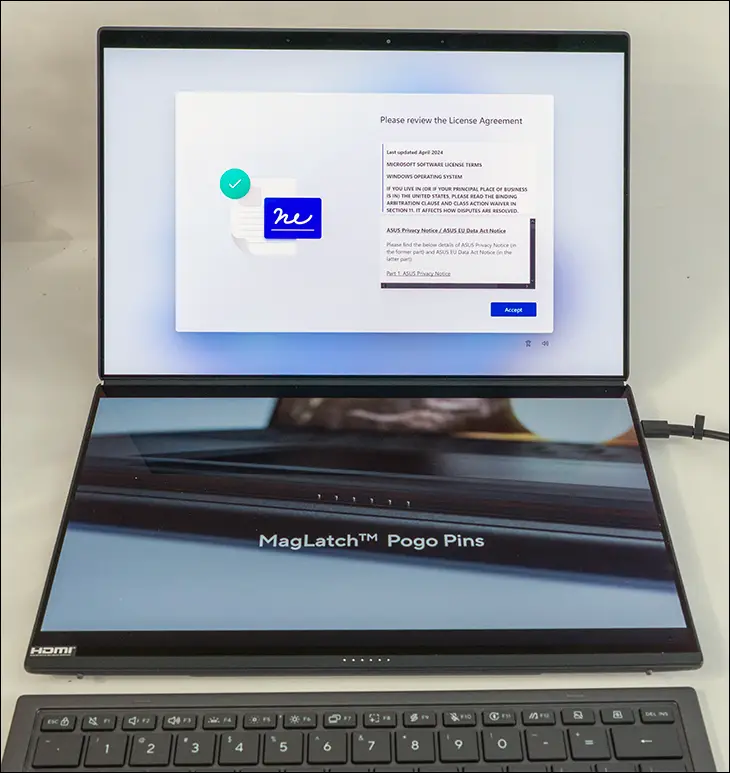
None of that happened… well… some of the optimization of the chassis has occurred, but not in a negative way. Instead, the ZenBook Duo 2026 edition is rocking the same weight (a hair under 3lbs without the keyboard, and 3lbs 10.2oz with it in hamburger units), a smaller footprint, and a highly advanced chassis. A chassis that is not just using off-the-shelf 5052 or 6061 with some fairy dust sprinkled in and then Cerakote’d. Not some magnesium sub-chassis that is fragile with some fancy aluminum parts added on to it to stiffen it up. Certainly not some wonky blend of profitonium “titanium” alloy that is actually weaker than high-grade aluminum alloys and yet sounds more premium (if you don’t believe us on this last bit… search “7075-T6 vs Grade 2 Ti strength” for an eye opener).
No. This new chassis is not even using a “Space Age” miracle material. On first blush, the name Ceraluminum tricks you into thinking it’s an advanced ceramic-aluminum Metal Matrix Composite (MMC) – maybe even something formed by taking A356 aluminum alloy (and its beneficially high Si content) and suspension-mixing 20% to 30% Alumina (Al₂O₃) ceramic by volume into it while it is in a molten state. While that would be impressive, it would also cost a lot more per pound than the Grade 5 Titanium Apple and Samsung use in their flagship phones.

Instead, Ceraluminum is a highly advanced PEO (Plasma Electrolytic Oxidation) finishing process. It starts with a high-purity aluminum (likely 6061 for a reliably predictable oxide growth pattern) that is CNC’ed into its final form with walls roughly 1mm to 2mm thick. It then undergoes a high-energy conversion process that integrates a ceramic “skin” into the (~4mills deep) metal via a metallurgical bond. Better still, ASUS finally “yeeted” the low-strength, but lower-density, AZ91D Magnesium alloy from the chassis in favor of this stiffer, all-aluminum PEO architecture.
The easiest way to understand what this means is to imagine PEO as a tweaked form of Microarc Oxidation (MAO. Or to be a bit less precise, it is best to view it as a high-energy evolution of Type III Hardcoat Anodizing. In standard Type III Hardcoat Anodizing, you use a cold acid bath and electricity to grow a “protective” amorphous oxide layer about 50µm (2mils) deep. With Ceraluminum, the acid bath is replaced with a “mineral-water” bath… and much “spicier” voltage levels (400V–700V).
At these levels, the spicy water triggers a continuous storm of micro-discharges at the metal’s surface. This creates a localized plasma state reaching thousands of degrees, effectively “micro arc-welding” minerals directly into the aluminum to a depth of about 100µm (4mils) and the aluminum surface being converted into a crystalline ceramic crust. One that has a signature matte look with a slightly “wrong and yet somehow greasy” feel, PEO is known for.
Put a different way. To visualize the difference between Anodizing and PEO, think of the aluminum chassis as a piece of hardwood decking. On its own its pretty darn resilient, but it scratches and dents easily. Now imagine Type 3 anodizing as a pressure-treated stain done to that wood. Better, and has a moderately deep protection… but at the end of the day, the wood can dent, nick, and be scratched. It’s just harder to do and harder to see. PEO is like partially petrifying the wood. So instead of soaking in some chemicals, you hit the surface with a lightning storm that replaces the outer layers of wood fibers with stone.

One “hidden” benefit of Ceraluminum is its thermal profile. While standard aluminum oxide is often used as an electrical insulator, the crystalline ceramic created through the PEO process is a surprisingly effective thermal conductor. Because the ceramic layer is metallurgically fused to the aluminum substrate rather than just sitting on top, there is no “insulation gap” like you would find with a thick layer of paint or even, say, a standard Cerakote finish. This allows the chassis to act as a more efficient passive heat sink, contributing to the increase in overall cooling efficiency that ASUS claims for this generation. However, the ceramic’s crystalline structure also acts as a subtle thermal diffuser. Meaning that while the internal components are radiating heat into specific parts of the frame, the entire surface of the laptop feels “warm” and stone-like to the touch, rather than the searing temperature zones notoriously common with metal alloy-based laptops.
One issue, though, is that while Ceraluminum meets MIL-STD 810H standards for harsh, real-world conditions, it is not as robust or durable as a proper ceramic-aluminum MMC chassis would be. Instead, the Ceraluminum chassis is only as strong as the base aluminum allows. However, by switching from a mostly AZ91D Magnesium with some Ceraluminum components based chassis to a chassis made entirely from (probably) 6061 Aluminum, the yield strength jumps from ~160 MPa to ~275 MPa—a 70% increase in yield strength. As such, the 6061’s higher Modulus of Elasticity (stiffness) is the real hero here. Not the fancy ceramic coating. It provides the structural rigidity needed to make the walls thinner and lighter without the metal “oil-canning” or crushing internal components like the battery (as Samsung found out with their Galaxy Note 7), and the ceramic coating is just there to keep it looking shiny and new longer than one would believe possible from an aluminum-clad laptop.
Mix in the fact that Asus has slimmed the dimensions by roughly 5%, and a nice “side effect” of this weight-reducing effort is that the ZenBook Duo 2026 is thinner than the 2024 model. To be precise, when closed/folded flat for transportation, the last gen was 24.5mm thick (hair over 31/32nds) and was ~19.9mm (a hair over 25/32nds) when open. The new 2026 edition is 23.3mm when closed and 19.6mm when open – or ~30/32nds and a hair over 49/64ths in freedom units. When talking about a laptop, thousands of an inch and/or tenths of a millimeter matter and represent a significant weight savings all on its own.