• About Us
  • Privacy Policy
  • Advertise With Us
  • Contact Us
Real Hardware Reviews
RHR
  • Home
  • Reviews
    • All Reviews
    • Accessories
    • Processors (CPU)
    • GPU
    • Mobile
    • Games & Software
    • Systems
    • Cases
    • Tablet & Laptops
    • Ram
    • Storage
    • Motherboards
  • News
  • Off Topic
    • How To
    • Cryptocurrencies
No Result
View All Result
Real Hardware Reviews
RHR
  • Home
  • Reviews
    • All Reviews
    • Accessories
    • Processors (CPU)
    • GPU
    • Mobile
    • Games & Software
    • Systems
    • Cases
    • Tablet & Laptops
    • Ram
    • Storage
    • Motherboards
  • News
  • Off Topic
    • How To
    • Cryptocurrencies
No Result
View All Result
Real Hardware Reviews
RHR
No Result
View All Result
ADVERTISEMENT
Home Reviews

ZenBook Duo 2026 Review

Intel sneaks a lil' Celestial into their Mobile 300-Series.

GaK_45 by GaK_45
February 10, 2026
in Tablet & Laptops, Reviews
ZenBook Duo 2026 Review
Share on FacebookShare on Twitter
ADVERTISEMENT
Jump to section

11. Closer Look at Asus ZenBook Duo P.6

  • 1. Introduction
  • 2. Closer Look at Panther Lake p.1 (Cougar Cove)
  • 3. Closer Look at Panther Lake p.2 (Cougar Cove Cont’d)
  • 4. Closer Look at Panther Lake p.3 (NPU/AI/IMC)
  • 5. Closer Look at Panther Lake p.4 (DarkMont & BattleMage)
  • 6. Closer Look at Asus ZenBook Duo P.1
  • 7. Closer Look at Asus ZenBook Duo P.2
  • 8. Closer Look at Asus ZenBook Duo P.3
  • 9. Closer Look at Asus ZenBook Duo P.4
  • 10. Closer Look at Asus ZenBook Duo P.5
  • 11. Closer Look at Asus ZenBook Duo P.6
  • 12. Adobe Performance
  • 13. Blender & CineBench Results
  • 14. DaVinci & OpenSCAD
  • 15. Handbrake 265 & PSY-Handbrake AV1
  • 16. SolidWorks & PCMark
  • 17. winRAR & x264 HD
  • 18. Borderlands 3 & CyperPunk 2077
  • 19. Closing Thoughts

ZenBook Duo 2026 Review 48

ADVERTISEMENT

The last three features worth mention is the integrated kickstand, the bezel, and the hinge for the screens. Not only does this kickstand allow you to safely and securely tilt the laptop so that both screens are usable in a virtual Big Boi screen, but it is now made from Ceraluminum. Meaning you will have to work at breaking it. Asus states the stand hinge is good for at least 40K cycles and can handle 15KG of weight. Which is a w very nice, and timely, upgrade to say the least over the last gen.

ZenBook Duo 2026 Review 49

The bezels. Thanks to trimming of the fat, there is now only ~4.3mm gap around the sides of the screens (down from ~6mm), and a mere ~9mm gap between the two when fully folded open… as the math gets tricky when dealing with angles (down from ~25mm). Giving this Duo a ~93% screen to body ratio vs. 83’ish percent of the last gen. Meaning that when in presentation mode, gaming mode, or dual screen work mod,e you get a much cleaner presentation with less black bar distractions.

ZenBook Duo 2026 Review 50

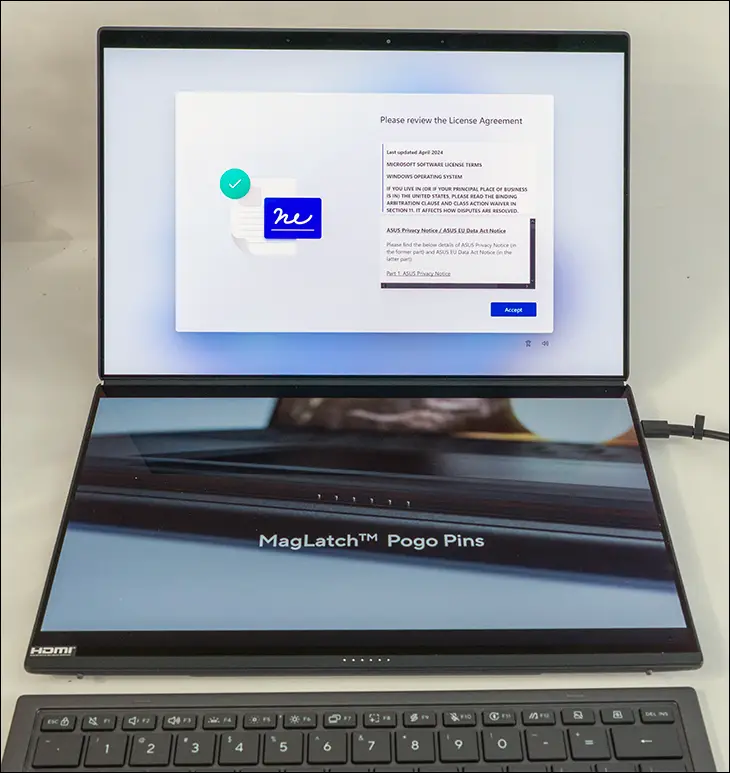
The reason for such a narrow gap between the two screens, when compared to the last generation, is the fact that ASUS has upgraded the hinge. In the previous 2024 edition, the design was basically using a slightly modify standard hinge. Which not only bulked up the gap but also kept you from fully flattening it out into a 180-degree configuration. With the new model, Asus has gone to a ‘hideaway’ hinge that pivots and moves as the screens are opened/closed. This narrows the gap but, more importantly, gives you 180-degree opening abilities.

ZenBook Duo 2026 Review 51

In fact its more like 183 as you can tilt it beyond flat and actually give a slight negative tilt to the second screen. Why would anyone do that? Simple. You can now use the “main” screen in ‘flip’ mode and use it as a good presentation display for anyone sitting across from you. As such, we can see many a salesman (or just student) using it for presentations. Even lawyers could use it as it is a touch screen and a digital signature backstopped by video evidence (as the camera is on the top screen and is typically legally binding in and out of court depositions). We can even see small teams at booths (say a Lost Wages event, or even just at a local farmers market) using it as rough n ready Point of Sales device. Though personally, we can see installing a certain “blue” emulator and running Android games on it… or another emulator and running ‘retro’ games on it. So this hinge really does expand the possibilities. Color us impressed… as we always like to see good engineering in action.

ZenBook Duo 2026 Review 52

Mix in a very good, and relatively compact 100w power adapter, and as you can see, the new 2026 edition of the ZenBook Duo has a lot of good, and sometimes great, upgrades over its predecessor. It’s just not perfect, and certain cost-cutting measures are blatantly obvious because of those upgrades. As such, it is a quirky ultraportable laptop that actually makes a good case for why dual-screen laptops should be more prevalent… as now want to see the 388H on a dual 4K 15-inch model… with DIMM slots and TB5 ports.


Jump to section

11. Closer Look at Asus ZenBook Duo P.6

  • 1. Introduction
  • 2. Closer Look at Panther Lake p.1 (Cougar Cove)
  • 3. Closer Look at Panther Lake p.2 (Cougar Cove Cont’d)
  • 4. Closer Look at Panther Lake p.3 (NPU/AI/IMC)
  • 5. Closer Look at Panther Lake p.4 (DarkMont & BattleMage)
  • 6. Closer Look at Asus ZenBook Duo P.1
  • 7. Closer Look at Asus ZenBook Duo P.2
  • 8. Closer Look at Asus ZenBook Duo P.3
  • 9. Closer Look at Asus ZenBook Duo P.4
  • 10. Closer Look at Asus ZenBook Duo P.5
  • 11. Closer Look at Asus ZenBook Duo P.6
  • 12. Adobe Performance
  • 13. Blender & CineBench Results
  • 14. DaVinci & OpenSCAD
  • 15. Handbrake 265 & PSY-Handbrake AV1
  • 16. SolidWorks & PCMark
  • 17. winRAR & x264 HD
  • 18. Borderlands 3 & CyperPunk 2077
  • 19. Closing Thoughts
Page 11 of 19
Previous 12345678910111213141516171819 Next
Tags: ASUS Zenbook Duo 2026Battlemage iGPUCore Ultra Series 3Dual-Screen LaptopIntel 18A NodeIntel Arc B390Intel Core Ultra 9 388HIntel Panther LakeUX8407 ReviewXe3 Graphics
ADVERTISEMENT
GaK_45

GaK_45

"Knowledgeable, opinionated and not afraid to ask the questions you can’t or won’t." GaK_45's combination of multiple industry certifications(MCSE, CCNA, various CompTIA, etc), and over twenty years' experience in the computer industry allows him to provide detailed analysis that is as trustworthy as it is practical.

Leave Comment

Recommended.

Silicon Power XPower AirCool DDR4-3200

Silicon Power XPower AirCool DDR4-3200

Intel Limited Edition i7 8086K Review

Intel Limited Edition i7 8086K Review

ADVERTISEMENT

Trending.

MSI BE6500 WiFi 7 USB Review

MSI BE6500 WiFi 7 USB Review

Seagate Exos X24 Review

Seagate Exos X24 Review

Crucial Pro DDR5-5600 128GB Review

Crucial Pro DDR5-5600 128GB Review

MSI MPG X870E Carbon WiFi Review

MSI MPG X870E Carbon WiFi Review

Seagate Exos X18 Review

Seagate Exos X18 Review

Real Hardware Reviews

© 2013 - 2024 | Powered by Real Hardware Reviews

Navigate Site

  • Home
  • About Us
  • Contact Us
  • Privacy Policy
  • Terms and Conditions
  • Editorial & Disclosure Policy

Follow Us

No Result
View All Result
  • Home
  • Reviews
    • All Reviews
    • Accessories
    • Processors (CPU)
    • GPU
    • Mobile
    • Games & Software
    • Systems
    • Cases
    • Tablet & Laptops
    • Ram
    • Storage
    • Motherboards
  • News
  • Off Topic
    • How To
    • Cryptocurrencies

© 2013 - 2024 | Powered by Real Hardware Reviews

This website uses cookies. By continuing to use this website you are giving consent to cookies being used. Visit our Privacy and Cookie Policy.