
Let us address the large elephant in the room: CPU overclocking. With both Intel and AMD offering multiple pathways for “automatic” overclocking, the days of true manual (AKA BIOS-only) overclocking are pretty much dead… as both AMD and Intel have wizened up to our frugal ways and now no longer offer much in the “free” department. Instead, they give everyone 99% (or more) of what a given CPU class can reliably deliver right from the factory floor.
To be blunt, it is well past the point where most people will be perfectly happy simply downloading Ryzen Master for their Ryzen CPU and ensuring PBO is active. A few more will tweak settings in the software to squeeze out a smidgen more optimization. Very, very, very few will ever feel the need to dive into the BIOS – which is a shame.
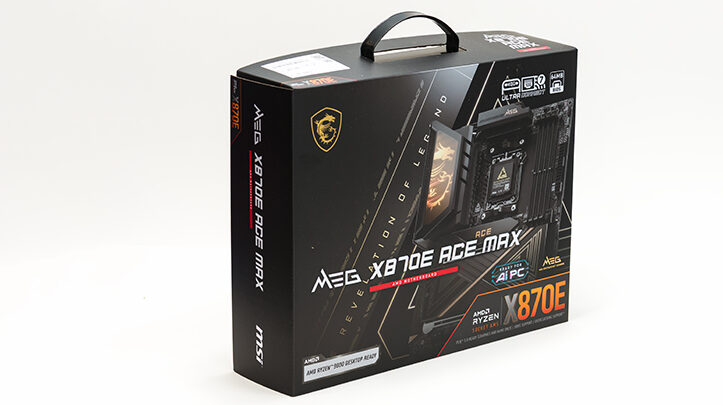
MSI has blessed their new X870E series of motherboards with a fan-frickin-tastic BIOS. It will annoy MSI “old hands” but delight newcomers tired of paying a “brand tax.” We’d go as far as saying that MSI’s BIOS software is now as good as their hardware – and it includes some very nifty features. So much so that we didn’t just test one overclocking option for this motherboard, but three. None of which falls remotely close to our usual M.O. of “this is about as far as you can go while staying inside the realm of (reasonable) sanity.” Instead, we explored two software options and one highly tweaked manual configuration. Each offers different pros and cons, demonstrating how little extra performance you can extract through overclocking versus the baseline experience.

We felt compelled to do this because we loved that MSI’s BIOS provided simple, easy-to-use, and reliable temperature limits – hard settings on max temps with PBO enabled at the BIOS level. Yes, all the same great taste of PBO via Ryzen Master without the “filling” feeling of relying on AMD software. Software that runs on a Microsoft OS can often be the definition of “unreliable” or “random frustration generator.”
That said, we didn’t just limit ourselves to BIOS-only tweaks. While you can get a very good “overclock” that keeps voltages (1.35V or less) and temperatures firmly in check (for example, around 85°C – about as high as you should go on any TSMC-baked silicon), we also added the 200MHz boost the software easily applies. We honestly wish MSI would bake that feature right into the BIOS, allowing one dropdown for temperature and basic PBO options, and another for advanced PBO adjustments. That would completely negate the need to ever, ever… ever run AMD’s own software.
Of course, the downside to PBO is that frequencies and even power draw are more… fluid than we’d like. Sure, you can set it to go “up to” two full multipliers higher than your factory CPU settings, but with AMD CPUs, that means somewhere between Jack and Squat (and Jack left town years ago). When we say it hit “up to” 5.2GHz all-core and 5.8GHz single-core, we mean it – but it’s highly variable. Always better than doing nothing, yet impossible to pin down precisely, as AMD’s algorithms often override you. Fair enough – they’re usually right – but if you’re like us and prefer dealing in absolutes, Ryzen CPUs will bug you.
Still, with temperatures firmly under control and setup being so easy, this combo makes a solid case for itself. Specifically, it yielded an overclock with only moderate increases in power usage (up to about 230 watts depending on the test), a noticeable reduction in noise, and overall performance that felt “just right.” Just right for single-core workloads, and just right for those wanting to flex all cores.

(Image courtesy of tenor.com)
At the other extreme is what we affectionately call “Plaid.” For those who don’t get the reference – the last good Star Wars movie, Spaceballs, features a speed tier called “going to plaid.” There’s sane (Light Speed), there’s stupidly fast (Ridiculous Speed), there’s “hold my beer” fast (Ludicrous Speed), and then there’s completely insane – Plaid.
In this case, Plaid means nuking your warranty (which, technically, is already toast once you enable PBO, even if you underclock), letting the CPU guzzle over 300 watts, and slamming into the TjMAX “wall” indefinitely. Which it will happily do – right until the magic smoke escapes and your expensive CPU either quietly quits or dies spectacularly.

(Image courtesy of tenor.com)
Yes, you’ll get better results going Plaid – but it’s still dumb. The gains are modest (roughly 5.35GHz all-core and maybe 5.9GHz single-core) and come at the cost of dangerously high voltages that will degrade your CPU. In fact, the voltages were so insane we toned it back a smidge via Curve Optimization (negative 20 on the “good” CCD0 and negative 10 on the “bad” CCD1)… because of. You’d have to be out of your mind to go full Plaid.
This neatly segues into our manual overclock. AMD claims 1.35V is “safe,” but we think even they know they’re stretching it. That’s why PBO technically voids your warranty. TSMC, the actual chipmaker, publicly states that their 4nm (and 3nm) nodes have a maximum safe voltage of 1.20V. That’s our hard safe limit – and what we used for our manual all-core overclock.
As you’ll see on the following pages, 1.20V is the sweet spot for our CPU. Going higher offers minimal real-world benefit beyond more heat, noise, and power consumption (still in the 70°Cs, even with an Arctic Liquid Freezer III 420mm AIO). For reference, our manual overclock consumed “up to” around 190–195 watts – call it 200W in extreme cases. That’s only about 30W more than stock, yet nearly matches standard PBO performance without needing to throttle temps, as they stay around stock levels (low 70s, sometimes high 60s depending on load).
Make no mistake – this takes time. These dual-CCD Ryzen CPUs usually have one “good” and one “meh” CCD. Ironically, the “good” one holds you back on under-volting, while the “meh” one limits overclocking. Counterintuitive, but true. The old rule of thumb for binning overclocking chips was to look for the hottest stock CPU – that leaky SOB usually clocked higher. Usually. No guarantees beyond “60% of the time, it works every time.”

So while you’ll see plenty of “Quick ’n’ Dirty Negative Thirty” guides on certain channels, don’t expect miracles at 1.2V. Instead, try negative 10 on both CCDs. Through testing, we found negative 20 and negative 10 worked “good enough” for our needs. If you really want to remove any fun but still invest the same time, you can “cheat” via the “Derive” function per core, let it run, and then lock the results into BIOS. It all comes down to how much effort you want to spend eking out max performance without pushing high voltages.
With all that said, for most users, the stock PBO + 85°C setting in BIOS will be more than enough. You won’t get the highest single-core bursts from full manual tuning, and in some cases, performance might even dip. So before going beyond BIOS-level PBO + 85°C, consider your daily workload. Most users will find that manual overclocking truly is dead for them, and only oddballs like us still find it worth the effort.