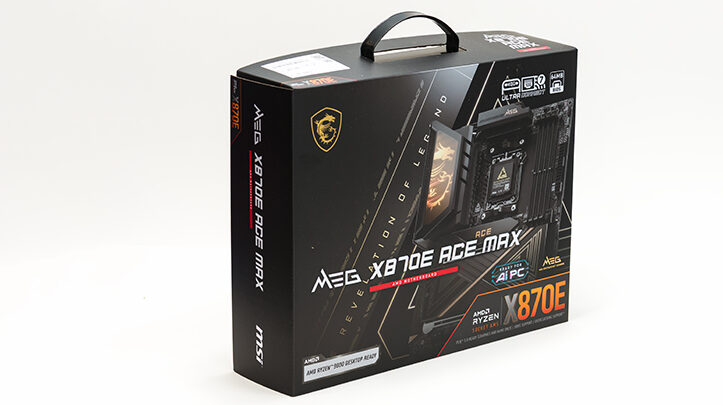

Let’s start with the two angry elephants in the room. The rear I/O is well crafted, well thought out, and darn near perfect… with two glaring exceptions. The first is the lack of a DisplayPort header that the last-gen Ace Max featured. Instead, the X870E Ace Max offers only a single full-size HDMI 2.1 port and the USB4 Type-C ports for A/V output, which can handle DP 1.4 in “alt mode.” Admittedly, this isn’t a deal-breaker and is pretty standard across X870E motherboards. In fact, we’re unaware of any Asus, ASRock, Gigabyte, or MSI X870E board that includes it. So if you must have a baked-in DP header for your APU, and to quote the only trustworthy Doctor in modern culture, “It’s dead, Jim.” You’ll need to drop to an older AMD chipset generation or grab an “industrial”-oriented B650 board from the likes of IEI (just one example) – that’s about your only option in today’s Team Red market.
The other issue will jar anyone who hasn’t upgraded in a couple of years: the industry-wide trend of “downsizing” audio ports. Love your analog 5.1 setup and want to carry it over to a premium build? Tough luck. Like virtually all Intel and AMD motherboards, you get a stereo headphone jack and a mic-in port. You still have an SPDIF optical out, but for anything beyond basic stereo, headphones, or headsets, you’re forced to add an external USB DAC or PCIe sound card. This is why we’re ambivalent about the MSI vs. Asus debate and which has a better implementation… as every motherboard manufacturer shoves you toward third-party solutions once you outgrow basic audio. Ugh. We loath this trend and hope someone eventually comes to their senses with a premium… practical fix… and brings back the rows of 1/8th-inch TRS (3.5mm) analog ports.

There are two solid reasons the entire industry has embraced this… “shrinkflation” on audio and video I/O. First, massive USB advancements; second, networking has become a must-have, deal-breaking feature for prosumers and above. As the old saying goes, there ain’t no such thing as a free lunch – and there’s only so much real estate on the rear I/O before it creeps into PCIe territory. We wouldn’t be shocked if breakout boards make a comeback, reclaiming that lost top PCIe slot in your case.
We say this because it’s the only way to fit everything everyone demands. Short of ‘90s-style workarounds, the math is simple: Want advanced onboard WiFi? Analog audio shrinks. Want endless USB ports? Say goodbye to DP or HDMI. TANSTAAFL, pick your poison, your mileage may vary… prioritize what matters and build accordingly.

With those caveats (and their reasoning) addressed, there’s one more somewhat controversial choice on the Ace Max: the WiFi controller. On the plus side, it delivers the latest WiFi 7 + BT 5.4 via the upgraded MediaTek MT7927 (an evolution of the last-gen Ace Max’s chip). On a modern OS, it just works – including Windows 10. Just hit up https://station-drivers.com/index.php/en/bios-news/14-msi-bios-drivers/333-amd-x870-am5/4886-msi-meg-x870e-ace-max, grab the driver package, and presto – no Windows 11 required.
That’s a huge selling point, since Qualcomm’s NCM865 and the latest Intel WiFi/BT chips have vastly superior drivers… but they’re Windows 11 (and some Linux) only. No dice for Windows 10 LTSC.

On the downside? It’s MediaTek. The previous gen eventually got “good enough,” but swapping it for a proven Qualcomm or Intel solution was one of the most requested mods across MT792x-equipped boards. It’s straightforward: Remove the backplate, lift the VRM heatsink, unscrew the M.2-style module, pop the EMI shield, and replace it. While you’re in there, ditch MSI’s short pigtail “EZ” WiFi connectors for standard RP-SMA ones and reuse an older MSI external antenna (at this level, dual antennas are dual antennas).

If you skip the swap, strongly consider dabbing non-conductive adhesive (Loctite/Henkel series, hot glue, whatever) on those EZ connectors before attaching your new antenna. It prevents random disconnects – a plague on all “easy” connectors. This rejection of screw-in RP-SMA standards is maddening and industry-wide, but glue or tape is your best defense against Murphy until someone fixes it.
Rant over. MSI (like everyone) is stuck between the Windows 11 dev team’s “vibe coders” and Qualcomm’s arrogance. Nobody wants Windows 11 unless forced, Intel never gelled well on AMD platforms, and Qualcomm gatekeeps behind Win11. Making MediaTek the sole sane option in a world gone insane. Is it optimal? No. But it’s practical… as frens don’t let frens use Windows 11. This is why the Asus Dark Hero and ProArt stick with MT7927, and why every rational board does too. Thanks, Bill Gates – your legacy keeps holding us back.

Moving on. Ethernet. Trustworthy, reliable wired networking. Here, the Ace Max has always overdelivered, and the X870E version is no different. This dual-NIC combo is best-in-class, smoking the Dark Hero and ProArt both as it pairs 10GbE + 5GbE “Multi-Gig” ports that gracefully handle lower performance 2.5/1/100M/10M networks.
Stack it against the ProArt’s 10GbE + 2.5GbE, and MSI wins handily – same Marvell AQC113CS for 10GbE, but the Realtek 8126 5GbE edges out Intel’s i226-V for stability (Intel’s solid but finicky).
Versus the Dark Hero’s 10GbE + 5GbE, it’s closer – identical 5GbE controllers/drivers (a tie). For 10GbE, Asus picks Realtek (newer, lower power) while MSI sticks with Marvell/Aquantia. Realtek’s catching up on drivers, but Aquantia’s are legendary for low CPU overhead and rock-solid stability – ideal for mainstream pros.

Sure, Intel still rules 10GbE (Intel > Marvell > Realtek), but their current options are older, hotter, and often need active cooling for peak stability/performance. The AQC113CS sips just ~2W more than Realtek but avoids Intel’s cooling/cost headaches.

Moving on to USB. Once again, MSI dominates with 13 ports versus Dark Hero’s 10 and even ProArt’s 11. To be precise, the Ace Max is rocking two USB3 10G Type-C, nine USB3 10G Type-A, and two USB4 40G Type-C ports. Dark Hero has two 10G TypeC, six 10G Type-A, and two USB 4 40G ports. ProArt skips 10G Type-C entirely and instead opts for seven 10G Type-A, two USB 4 40G Type-C, one USB 20G Type-C, and one USB2 Type-A. To be blunt, USB2 is irrelevant these days, and USB4 backwards compatibility covers the ‘missing’ 20G ports.

So, on port count and performance, the MSI MEG X870E Ace Max is clearly better. Real‑world performance of the USB ports is where things get a bit tricky. First, the ProArt does not share any of its rear USB ports with anything. You can use them all and the M.2 ports with zero worry. The Dark Hero and the MSI, however, do share a bit of bandwidth. Specifically, and somewhat ironically, the M.2_2 port on the Ace Max and the Dark Hero both share this M.2 PCIe 4.0 x4 bandwidth with the USB 4 controller, and both offer the exact same compromises in their BIOS.

To be specific, if you use a USB 4 port and the M.2_2 port (i.e., the second‑from‑the‑top M.2 port), the default BIOS setup is to slow both down in a hard‑set 50‑50 bandwidth split. Even if the USB is not being actively used at any given point. Meaning the USB 4 ports get only 40Gbps in total to use, and the M.2_2 transforms into a PCIe 4.0 x2 M.2 port… even when the other is just sitting there not using any of its bandwidth. Thankfully, both motherboards also allow you to turn off one or the other in BIOS, giving you “full” 40G ports or PCIe 4.0 x4 M.2 port.
Technically.

In reality, both 40G ports are running off the same PCIe 4.0 x4‑enabled controller. Meaning even when the M.2_2 port is disabled in BIOS, there is only ~64Gbps worth of bandwidth the controller can use. Thankfully, the USB 4 controller is fairly “smart” and will not hard‑set the cap for both ports at 20G speeds. Instead, it will take a “first‑come, first‑served,” “floating” approach to bandwidth allocation for each port. So if one device is only technically 40G but only needs 20G at any given time, and the other actually can make use of 40G, neither will be capped if the M.2_2 port is disabled. If both are actually capable of 40G and both are active, it is more like 32-ish x2, but it will float up and down in real time. Once again, this assumes the M.2_2 port is off in the BIOS. If it is on, instead of 64Gbps of bandwidth, there is 32Gbps, with a “floating” bandwidth allocation happening in real time. This headache‑inducing calculus is the same regardless if you are using the Dark Hero, the Ace Max, or a whole host of other X870E motherboards, as they are all using the exact same ASMedia ASM4242 controller.

Moving on. On top of offering more USB ports and thus more overall performance than the Dark Hero, MSI still found room for their 3 EZ buttons: Flash BIOS, Clear CMOS, and Smart (the last of which is configurable via the BIOS). In fact, in many ways, they have been improved, as they are now clearly labeled. Counteracting this two‑steps‑forward advancement in clarity is the fact that all three buttons are still closely spaced and smaller than the last‑gen. Thus, accidentally pushing the CLEAR CMOS button when you wanted the BIOS Flash Back option is a real possibility, especially if you are reaching around the back of the case and doing it blind. As such, we do recommend being careful, or… You know, covering the Clear CMOS button with a small piece of plastic and tape so that it cannot accidentally be depressed (or gluing a button over the other two buttons to raise them up and off the I/O panel).
Overall, the MSI MEG X870E Ace Max may have a few quirks, but it certainly delivers a unique, practical feature set tailored made for the professional and prosumer alike. Color us impressed